iFrame Widget
Overview
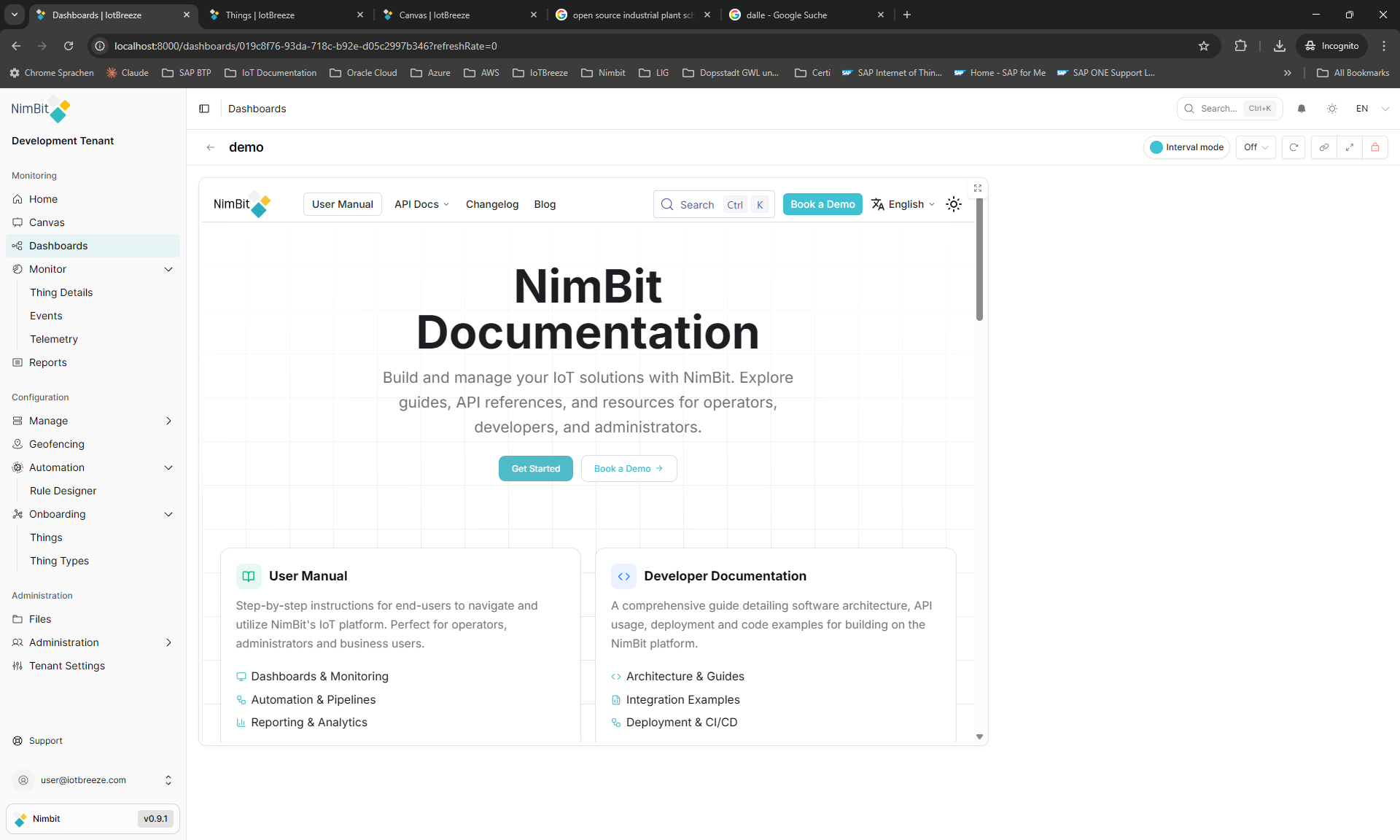
The iFrame widget embeds external web content directly into your dashboard, allowing integration of third-party applications, reports and web pages alongside your IoT data.
Use Cases
- External Applications - Embed external tools and dashboards
- Reports - Display reports from other systems
- Documentation - Embed online documentation
- Web Services - Integrate web-based services
- Third-Party Dashboards - Show dashboards from other platforms
Key Features
- Embed any web URL
- Responsive sizing
Configuration
The iFrame widget is a standalone widget that doesn't require measures or properties. It embeds external web content directly into your dashboard.
Basic Settings
| Field | Required | Description |
|---|---|---|
| URL | ✅ Yes | Web address to embed |
Display Options
| Field | Required | Description |
|---|---|---|
| Transparent | ❌ No | Remove widget background |
| Border color | ❌ No | Custom border color |
| Background Color | ❌ No | Custom background color |
Security Considerations
Security
Always verify the trustworthiness of embedded URLs. Only embed content from trusted sources to prevent security risks.
Security Best Practices
- HTTPS Only - Use HTTPS URLs when possible
- Trusted Sources - Only embed trusted domains
- Content Security - Be aware of embedded content permissions
- User Authentication - Consider authentication requirements
- Regular Review - Review embedded content regularly
Common Issues
iFrame Blocked
Some websites prevent embedding via X-Frame-Options headers:
- Solution: Check if site allows embedding
- Alternative: Use direct links instead
- Workaround: Contact site owner for embedding permissions
Content Not Loading
- Check URL: Verify URL is correct and accessible
- HTTPS: Ensure correct protocol (http vs https)
- Network: Check network connectivity
- CORS Policy: Verify cross-origin policy
Authentication Issues
- Login Required: Some sites require login
- Session Timeout: Sessions may expire
- SSO Integration: Consider single sign-on needs
Best Practices
- URL Testing - Test URLs before deployment
- Responsive Design - Ensure content is responsive
- Loading Indicators - Show loading state
- Error Handling - Handle failed loads gracefully
- Performance - Consider impact on dashboard load time
What's Next?
- Container Widget - For organizing widgets
- Dashboards - Learn about dashboard features