Action Widget
Overview
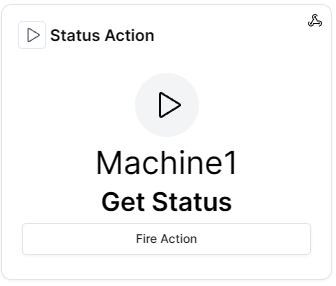
The Action widget allows you to execute actions on Things directly from the dashboard with configurable buttons and controls. It provides immediate access to device commands, remote operations and automated workflows.
Use Cases
- Device Control - Execute commands on devices remotely
- Remote Operations - Trigger operational procedures
- Workflow Execution - Start automated workflows
- Testing - Test action functionality
- Emergency Controls - Provide quick access to critical actions
Key Features
- Action button interface
- Confirmation dialogs
- Action history
- Multiple action support
- Custom button labels
- Status feedback
Configuration
Basic Settings
| Field | Required | Description |
|---|---|---|
| Name | ❌ No | Display name for the widget |
| Thing | ✅ Yes | Select Thing to execute action on |
| Action | ✅ Yes | Select action to execute |
Display Options
| Field | Required | Description |
|---|---|---|
| Transparent Background | ❌ No | Remove widget background |
| Background Color | ❌ No | Custom background color |
| Border color | ❌ No | Custom border color |
Schema Details
Widget Type: action
Config Properties:
id(required) - Widget configuration identifieractionId(required) - ID of the action to executelastRun(optional) - Timestamp of last execution
Optional Properties:
name- Widget display nametransparent- Enable transparent backgroundbgColor- Background colorborderColor- Border color
Best Practices
- Confirmation Dialogs - Always use confirmation for critical actions
- Clear Labels - Use descriptive action button labels
- Access Control - Ensure proper group permissions
- Action Testing - Test actions thoroughly before production use
- Feedback - Provide clear feedback on action execution
Security Considerations
- Permission Management - Control who can execute actions
- Action Logging - Log all action executions
- Critical Actions - Use extra confirmation for dangerous actions
- Timeout Settings - Set appropriate action timeouts
What's Next?
- Events Widget - For monitoring action results
- Actions Documentation - Learn about configuring actions