Actions
Overview
Actions are executable operations that enable remote control, command execution and integration with external systems in IoTBreeze. They provide a powerful way to interact with your IoT devices and integrate with third-party services.
Actions can be created and used in multiple contexts:
- ThingTypes: Define actions at the type level, making them available to all things of that type
- Things: Create thing-specific actions for individual devices
- Event Types: Trigger actions automatically based on specific events
- Rules: Execute actions as part of automated workflows and business logic
IoTBreeze supports two types of actions:
- Webhook Actions - Call external HTTP endpoints
- Azure C2D (Cloud-to-Device) Actions - Send commands directly to Azure IoT devices
Webhook Actions
Webhook actions allow you to trigger HTTP requests to external endpoints, enabling integration with third-party services, APIs, or custom backends.
Step 1: Basic Configuration
Click "Create Action" and select Webhook as the action type.
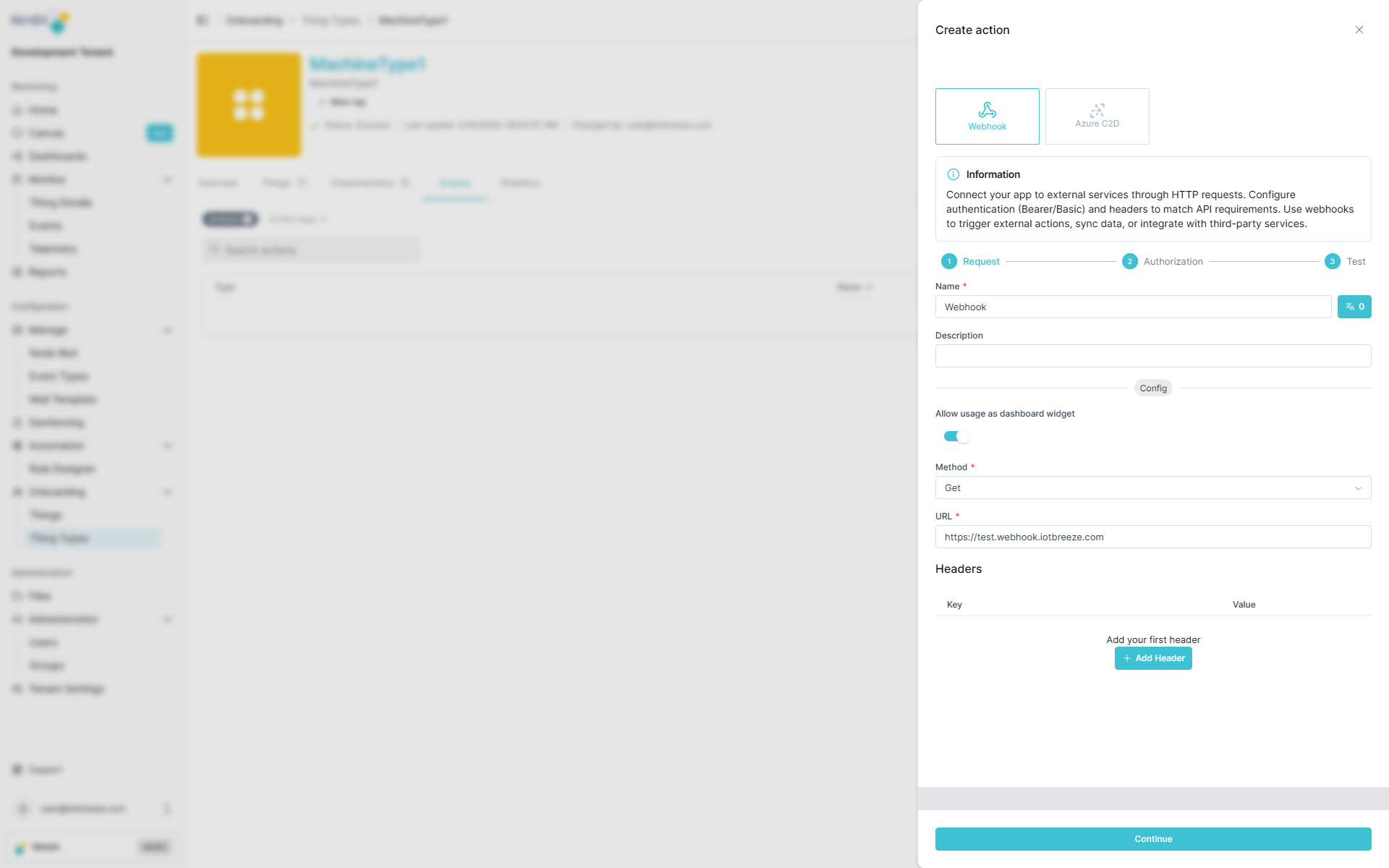
| Field | Required | Description |
|---|---|---|
| Name | ✅ Yes | Translatable name (shown in dashboards and thing interfaces). |
| Method | ✅ Yes | HTTP method: GET, POST, PUT, PATCH, or DELETE. |
| URL | ✅ Yes | Target endpoint URL. |
| Body | Varies | Request body (required for POST, PUT, PATCH; not available for GET) |
| Description | ❌ No | Additional context about this action's purpose. |
| Headers | ❌ No | Custom HTTP headers (key-value pairs). |
Translatable Action Names
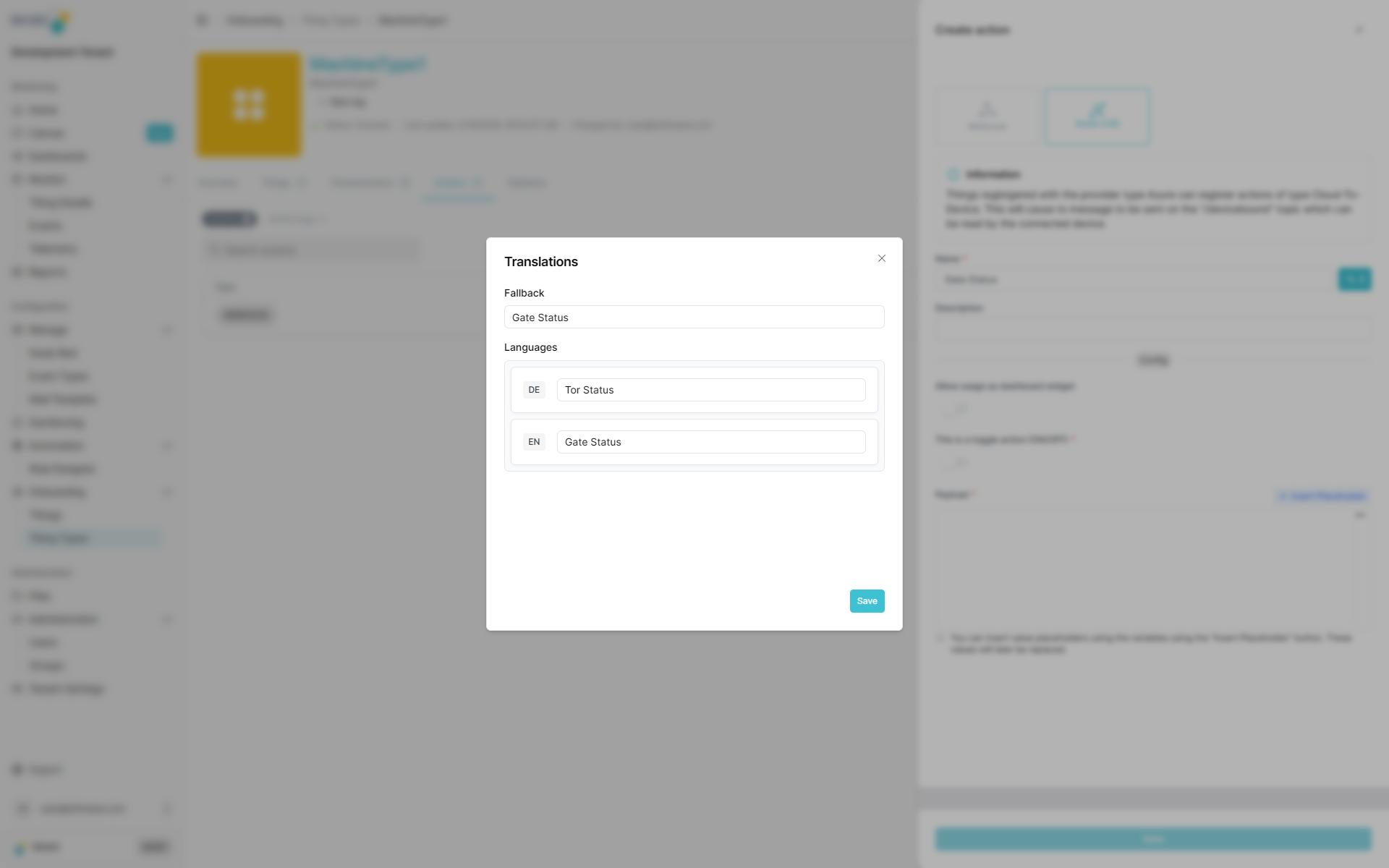
Action names support multiple languages, allowing users to see action labels in their preferred language when using dashboards or thing interfaces.
Step 2: Authentication
After configuring the basic settings, you can add authentication to secure your webhook requests.
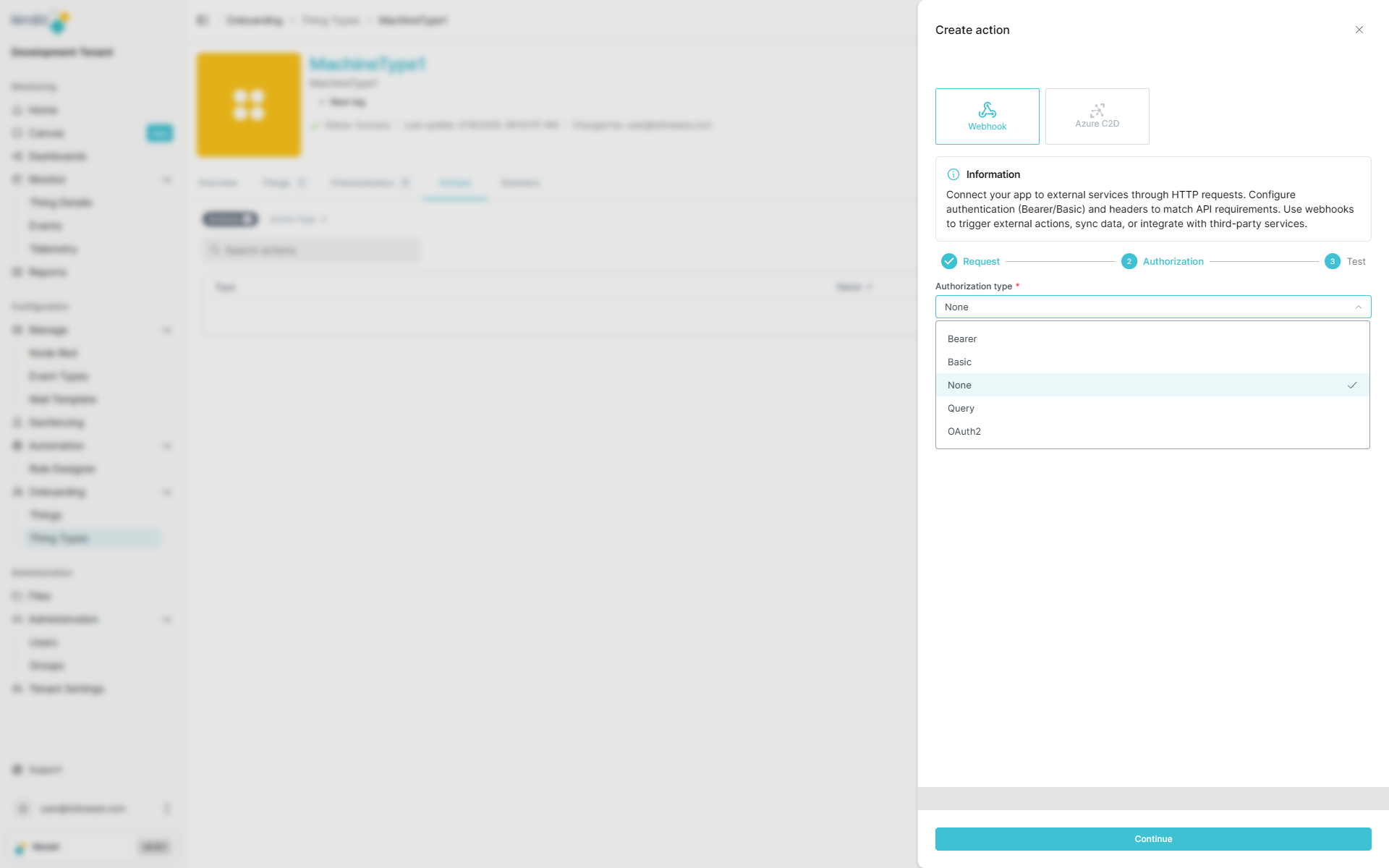
IoTBreeze supports the following authentication methods:
Authentication Types
None
No authentication required - the endpoint is publicly accessible or secured by other means.
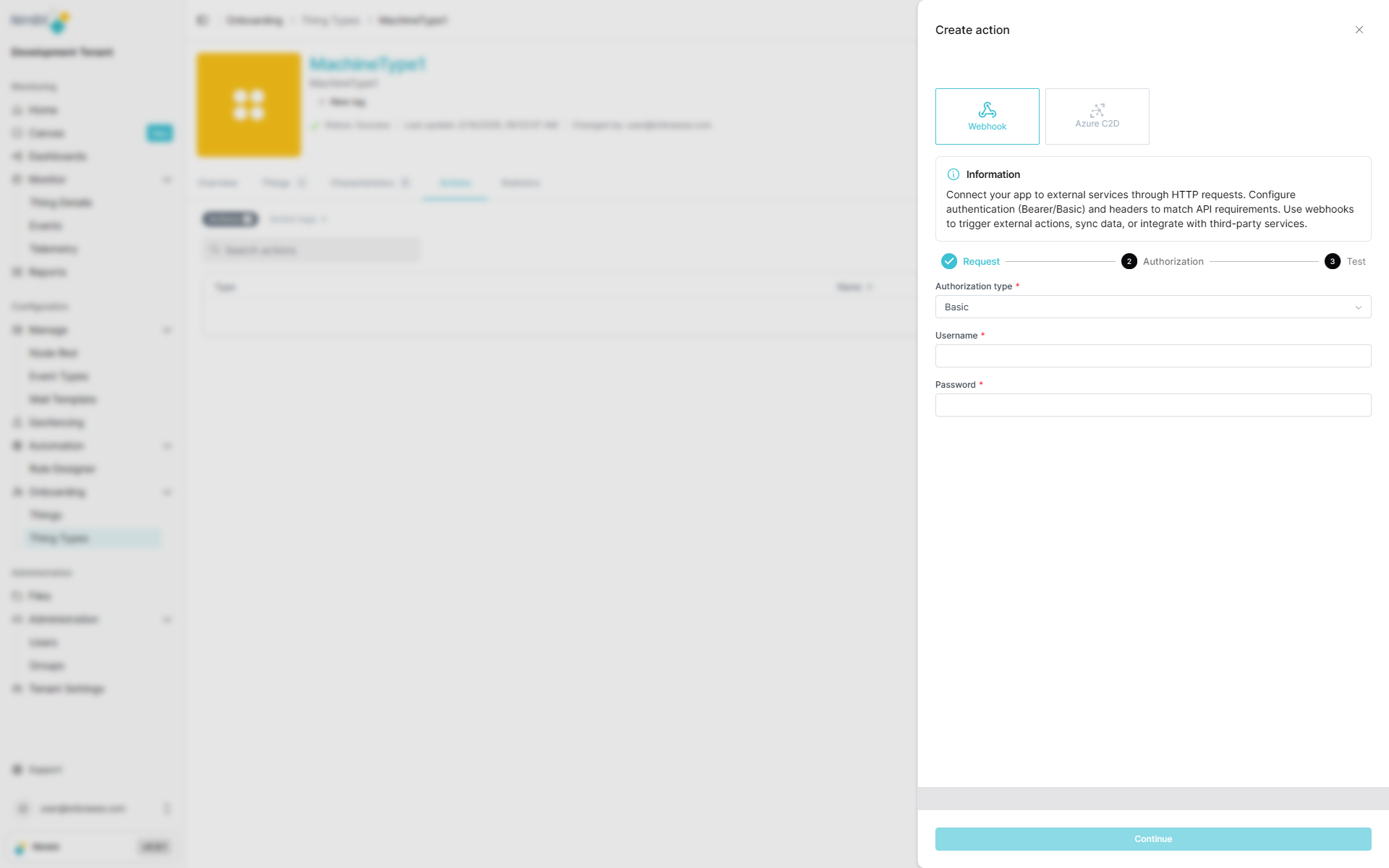
Basic Authentication
Standard HTTP Basic Authentication using username and password.
| Field | Required | Description |
|---|---|---|
| Username | ✅ Yes | Basic auth username |
| Password | ✅ Yes | Basic auth password |
Bearer Token
Token-based authentication where the token is sent in the Authorization header.
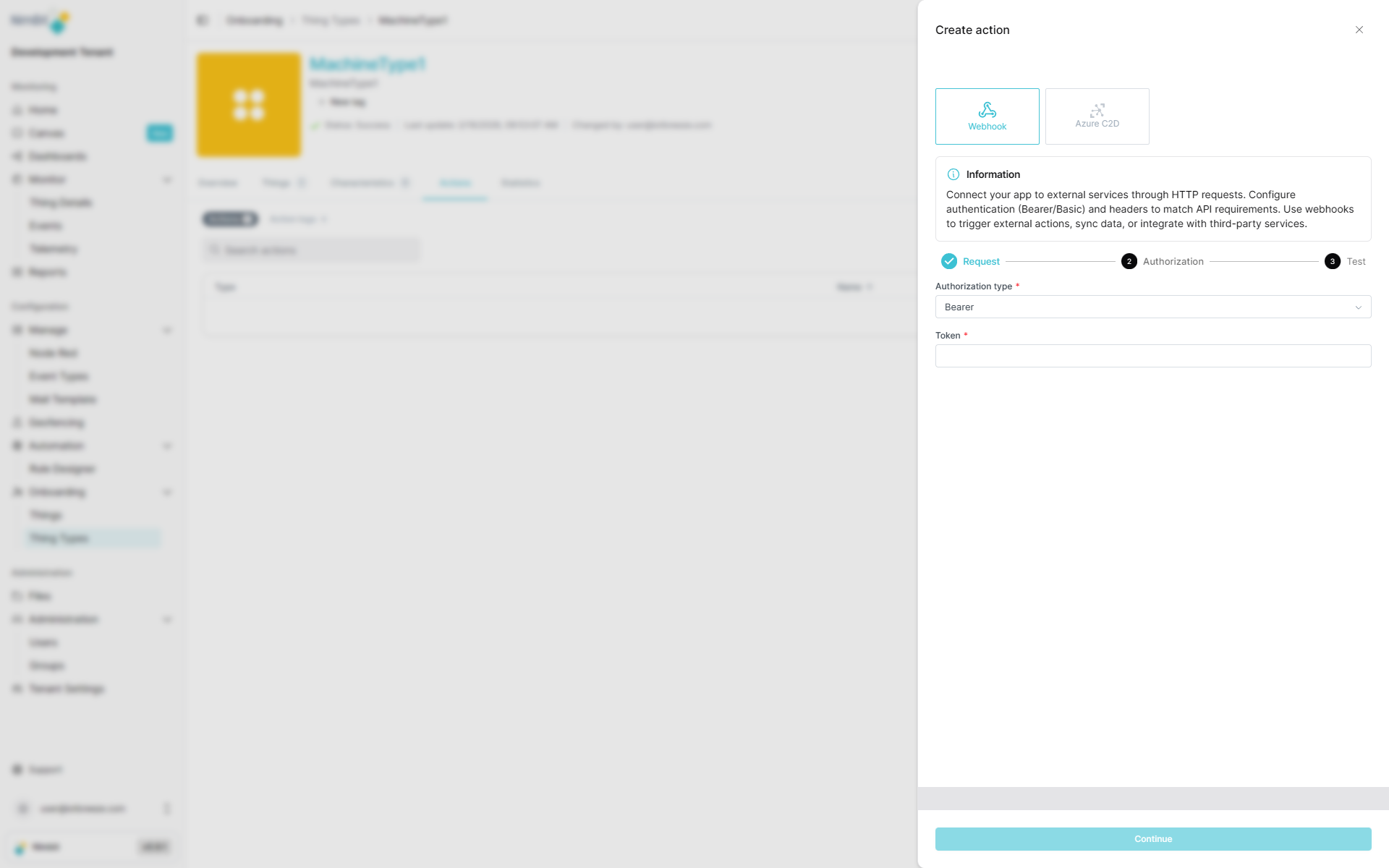
| Field | Required | Description |
|---|---|---|
| Token | ✅ Yes | Bearer token for authorization |
Query Parameters
Authentication via URL query parameters (e.g., API keys).
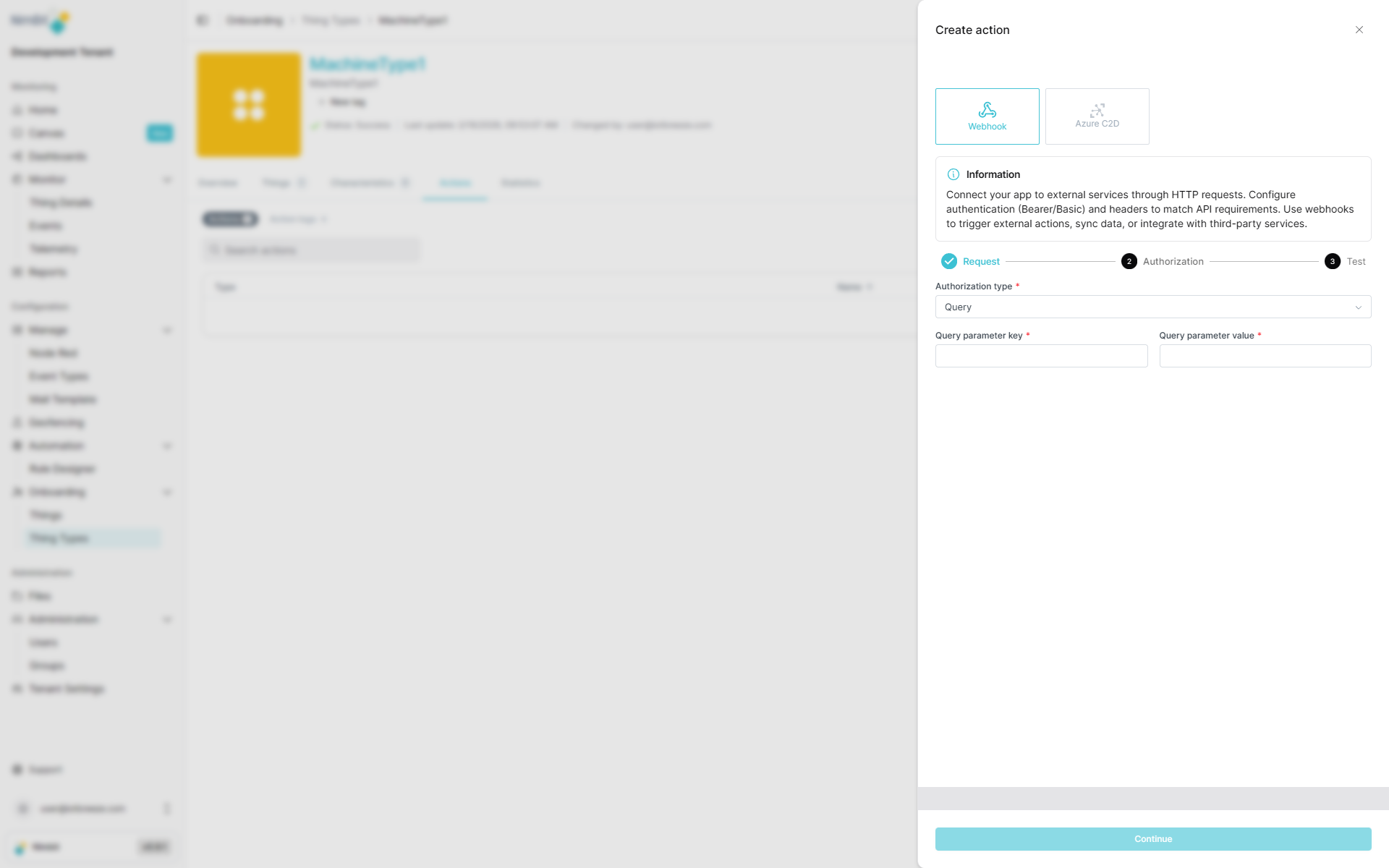
| Field | Required | Description |
|---|---|---|
| Key | ✅ Yes | Query parameter name (e.g., api_key) |
| Value | ✅ Yes | Query parameter value |
OAuth 2.0
OAuth 2.0 authentication with support for multiple grant types. Select the appropriate grant type based on your OAuth provider's requirements:
Grant Type: Client Credentials
Used for server-to-server authentication where the application authenticates as itself.
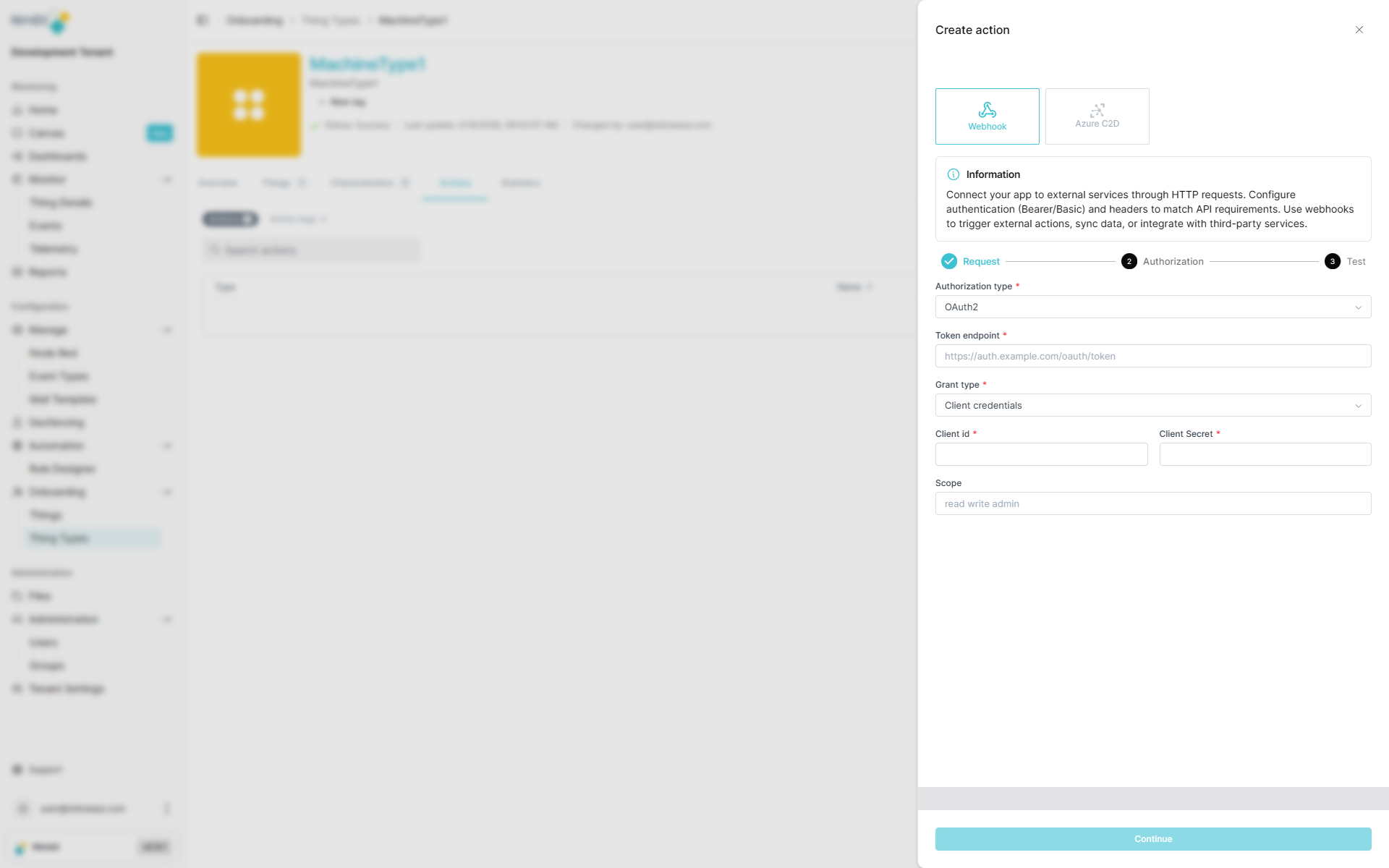
| Field | Required | Description |
|---|---|---|
| Token Endpoint | ✅ Yes | OAuth token URL |
| Client ID | ✅ Yes | OAuth client identifier |
| Client Secret | ✅ Yes | OAuth client secret |
| Scope | ❌ No | OAuth scopes (space-separated) |
Grant Type: Password
Used when the application has the user's credentials and exchanges them for an access token.
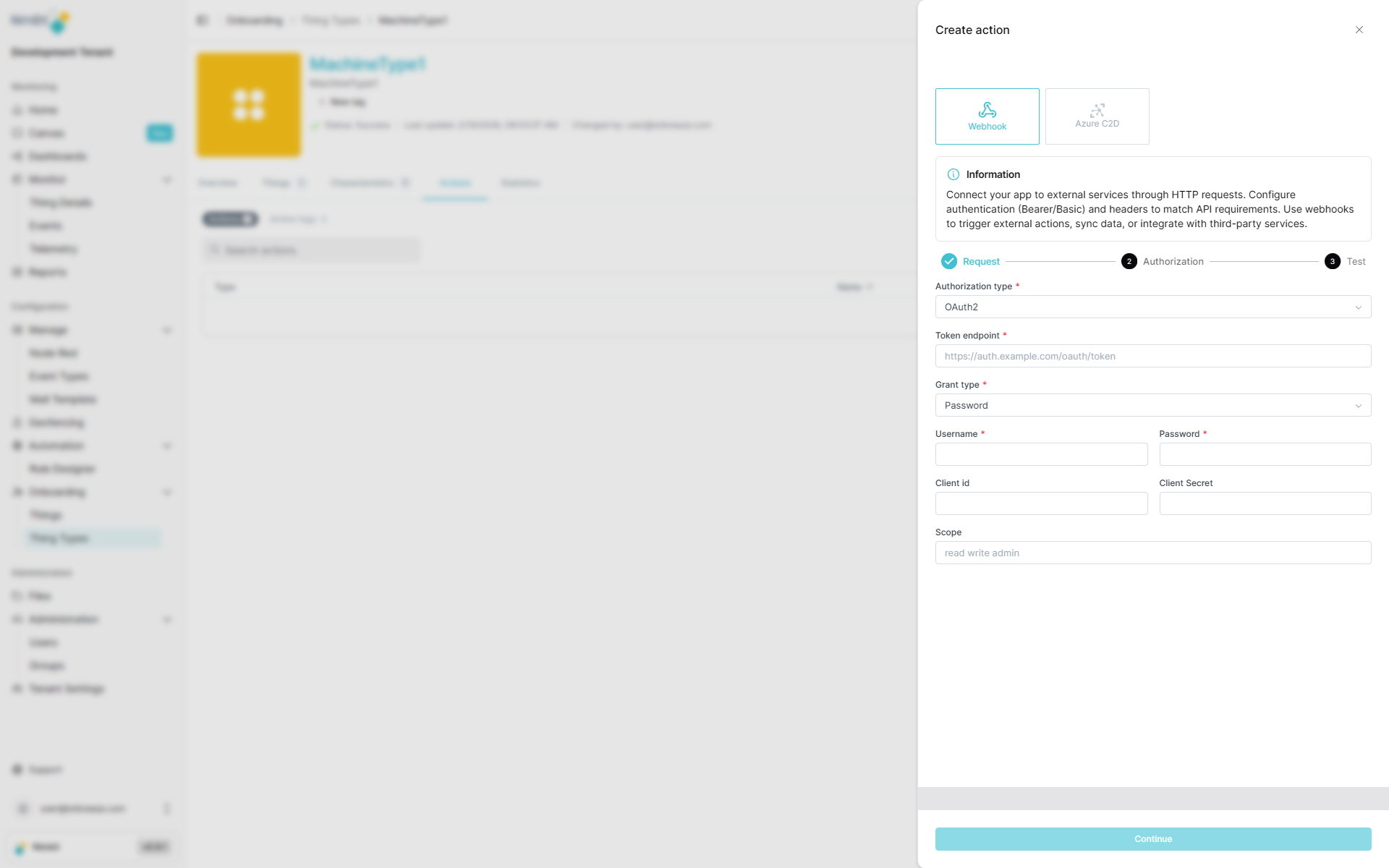
| Field | Required | Description |
|---|---|---|
| Token Endpoint | ✅ Yes | OAuth token URL |
| Username | ✅ Yes | User credentials |
| Password | ✅ Yes | User credentials |
| Client ID | ❌ No | OAuth client identifier (optional) |
| Client Secret | ❌ No | OAuth client secret (optional) |
| Scope | ❌ No | OAuth scopes (space-separated) |
Grant Type: Refresh Token
Used to obtain a new access token using a previously issued refresh token.
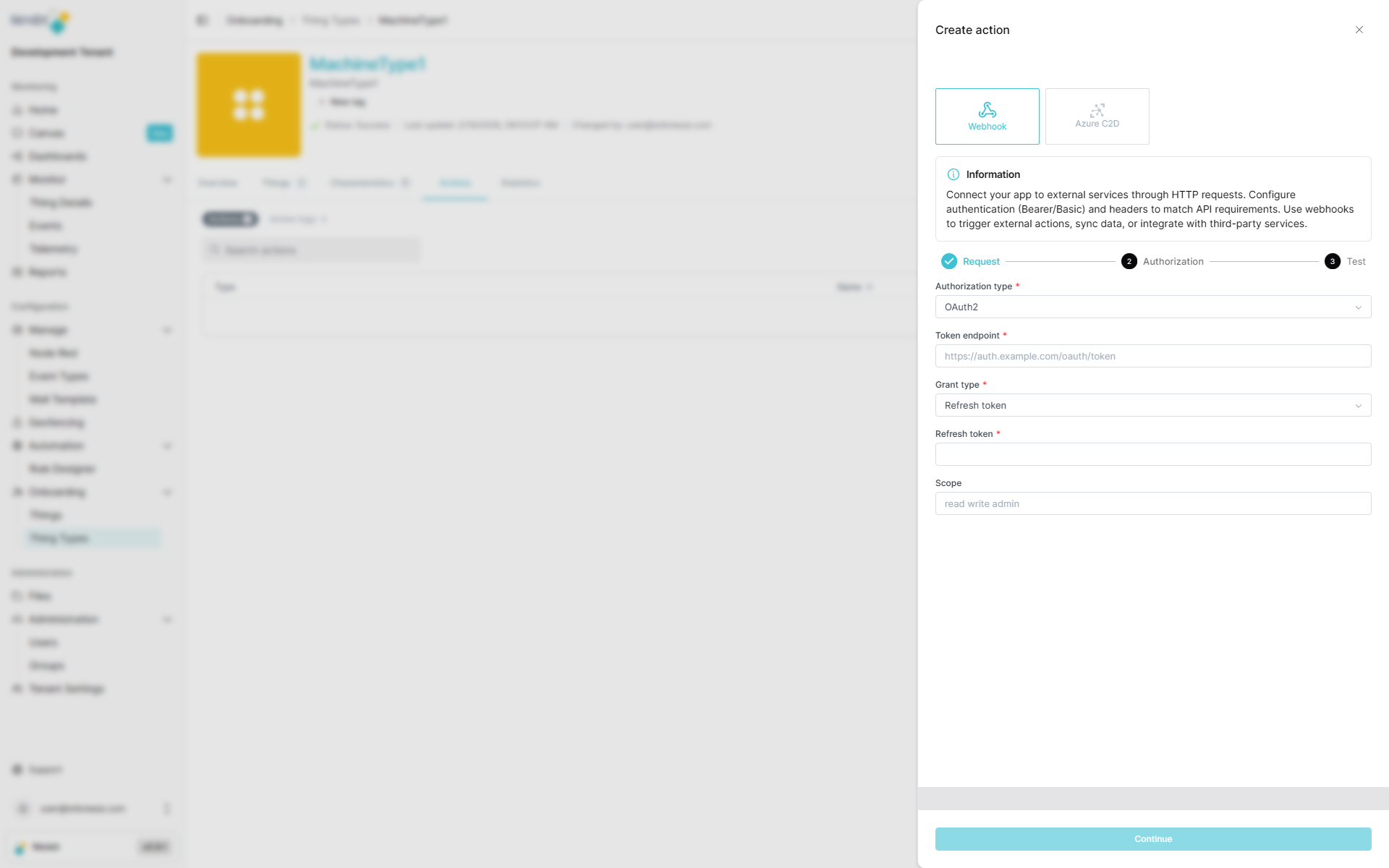
| Field | Required | Description |
|---|---|---|
| Token Endpoint | ✅ Yes | OAuth token URL |
| Refresh Token | ✅ Yes | Valid OAuth refresh token |
| Scope | ❌ No | OAuth scopes (space-separated) |
Grant Type: JWT Assertion
Used when authenticating with a signed JWT (JSON Web Token) assertion.
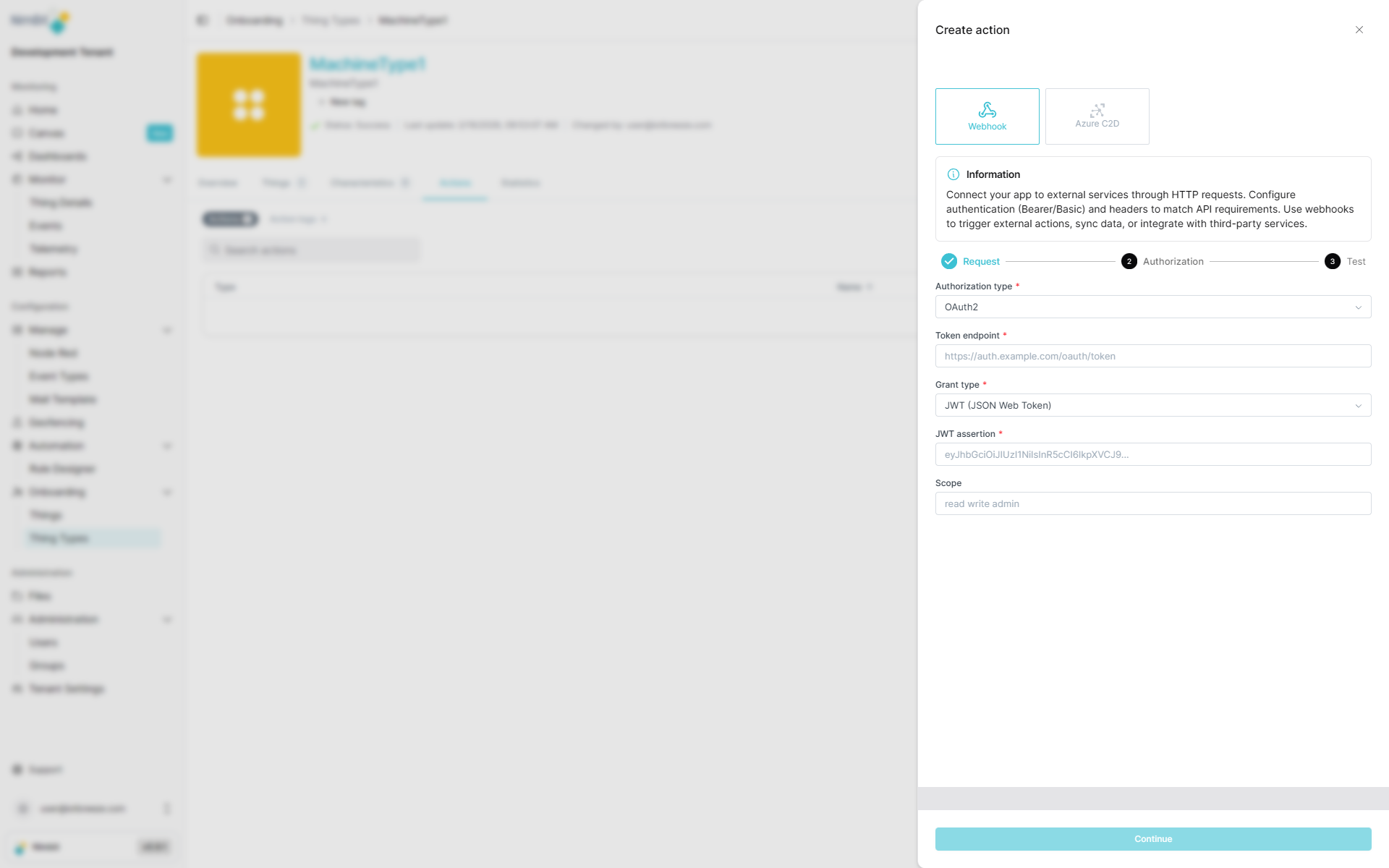
| Field | Required | Description |
|---|---|---|
| Token Endpoint | ✅ Yes | OAuth token URL |
| JWT Assertion | ✅ Yes | Signed JWT assertion |
| Scope | ❌ No | OAuth scopes (space-separated) |
Step 3: Review and Save
Before saving, review your webhook configuration:
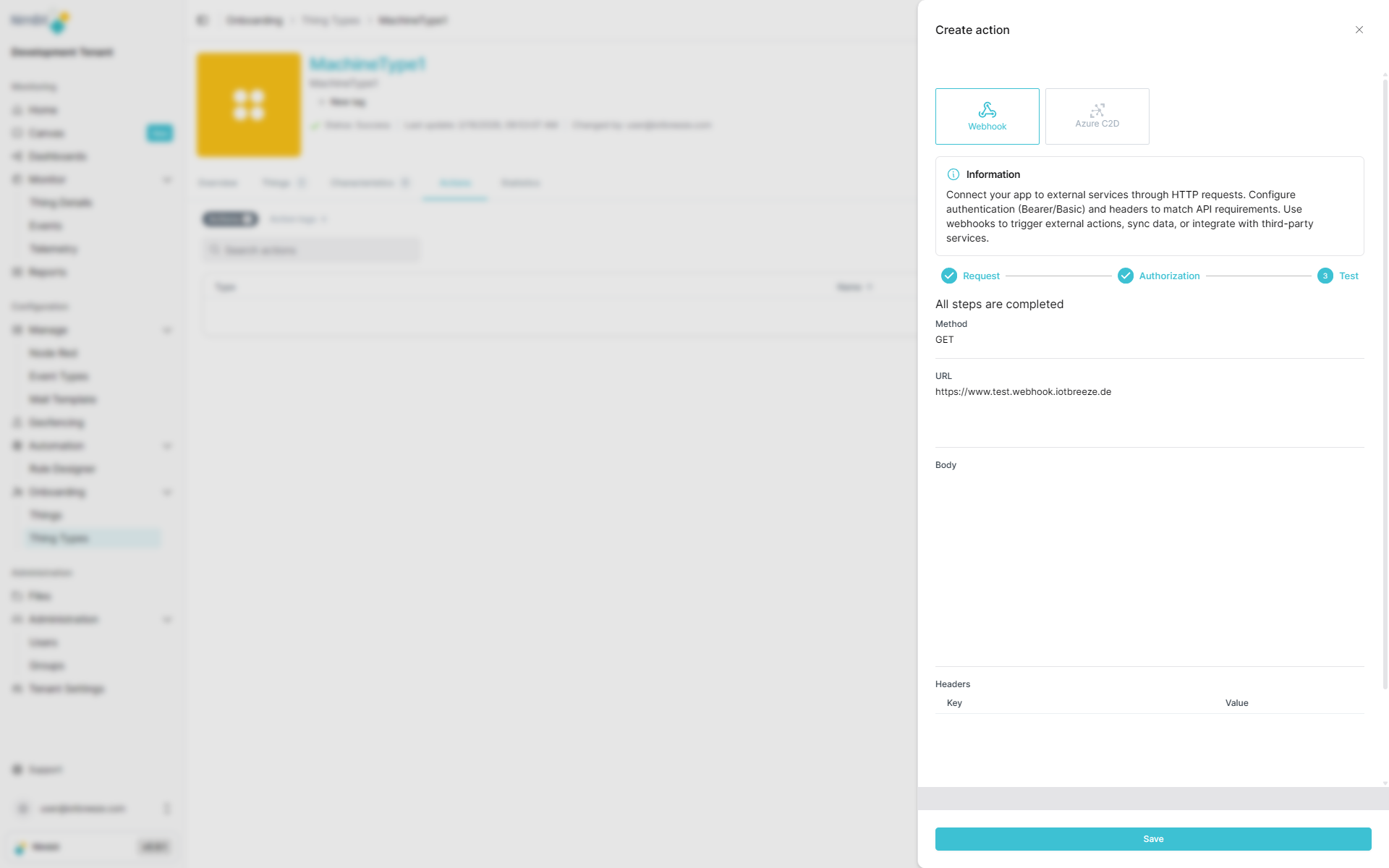
Once confirmed, the webhook action is created and becomes available for use in things, dashboards, events and rules.
Azure C2D Actions
Azure Cloud-to-Device (C2D) actions enable direct command execution on Azure IoT devices. This feature is only available when:
- Your tenant has Azure as a provider enabled
- The ThingType/Thing uses Azure as its provider
Azure C2D actions are only supported when both the tenant configuration includes Azure as a provider and the specific ThingType/Thing is configured to use Azure. If these conditions are not met, this action type will not be available.
C2D actions can directly control physical devices and equipment such as motors, valves, pumps, or gates. Use this feature with caution and ensure proper safety measures are in place. Incorrect configuration or unintended action execution could lead to equipment damage, safety issues, or operational disruptions.
Basic C2D Configuration
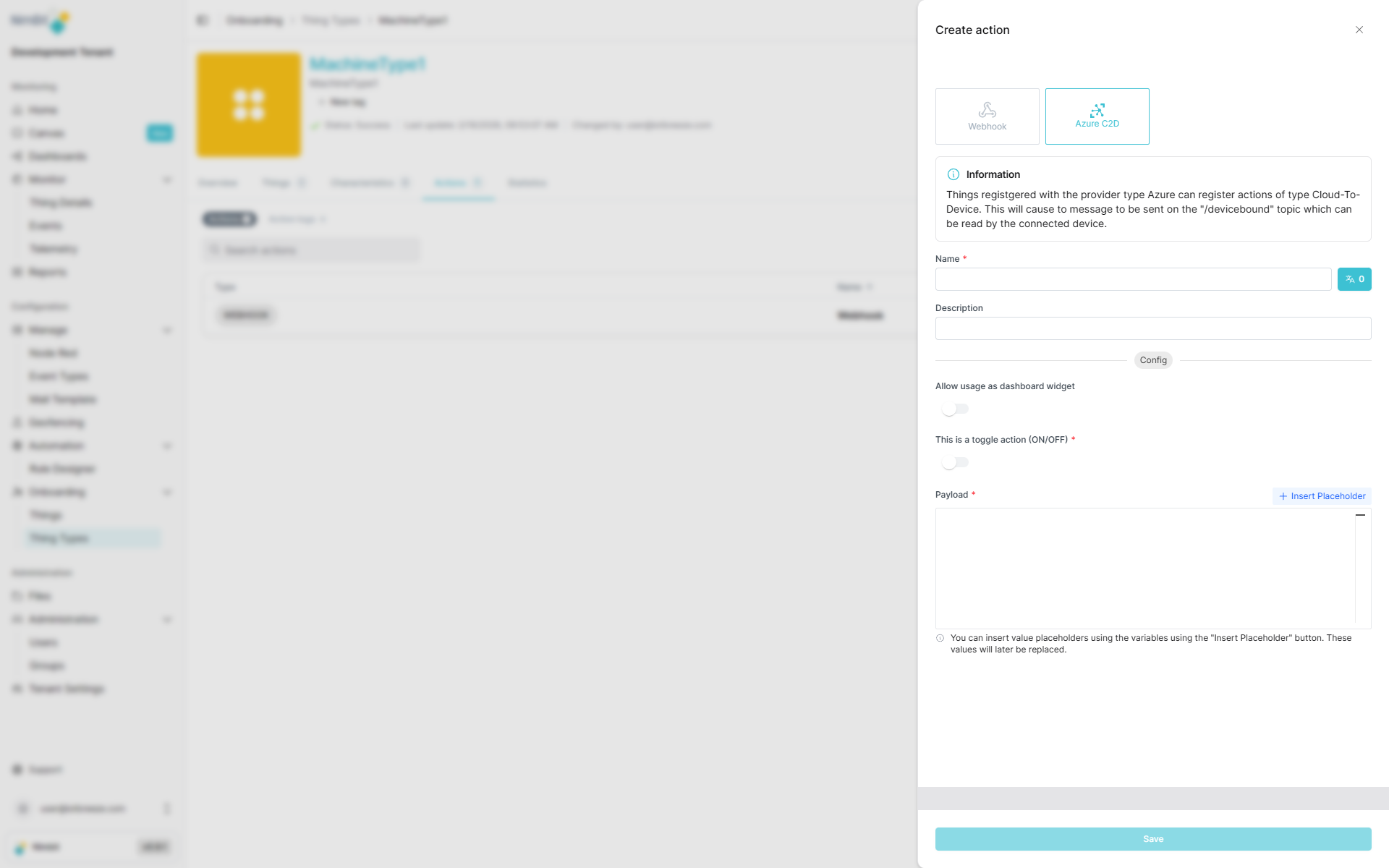
| Field | Required | Description |
|---|---|---|
| Name | ✅ Yes | Translatable action name |
| Description | ❌ No | Additional context |
| Allow use in dashboard | ❌ No | Enable creation of dashboard widgets for this action |
Name Translation
Action names can be translated into multiple languages:
This ensures users see action labels in their preferred language when interacting with dashboards or thing interfaces.
Toggle Actions
C2D actions can be configured as toggle actions, allowing different payloads to be sent based on device state.
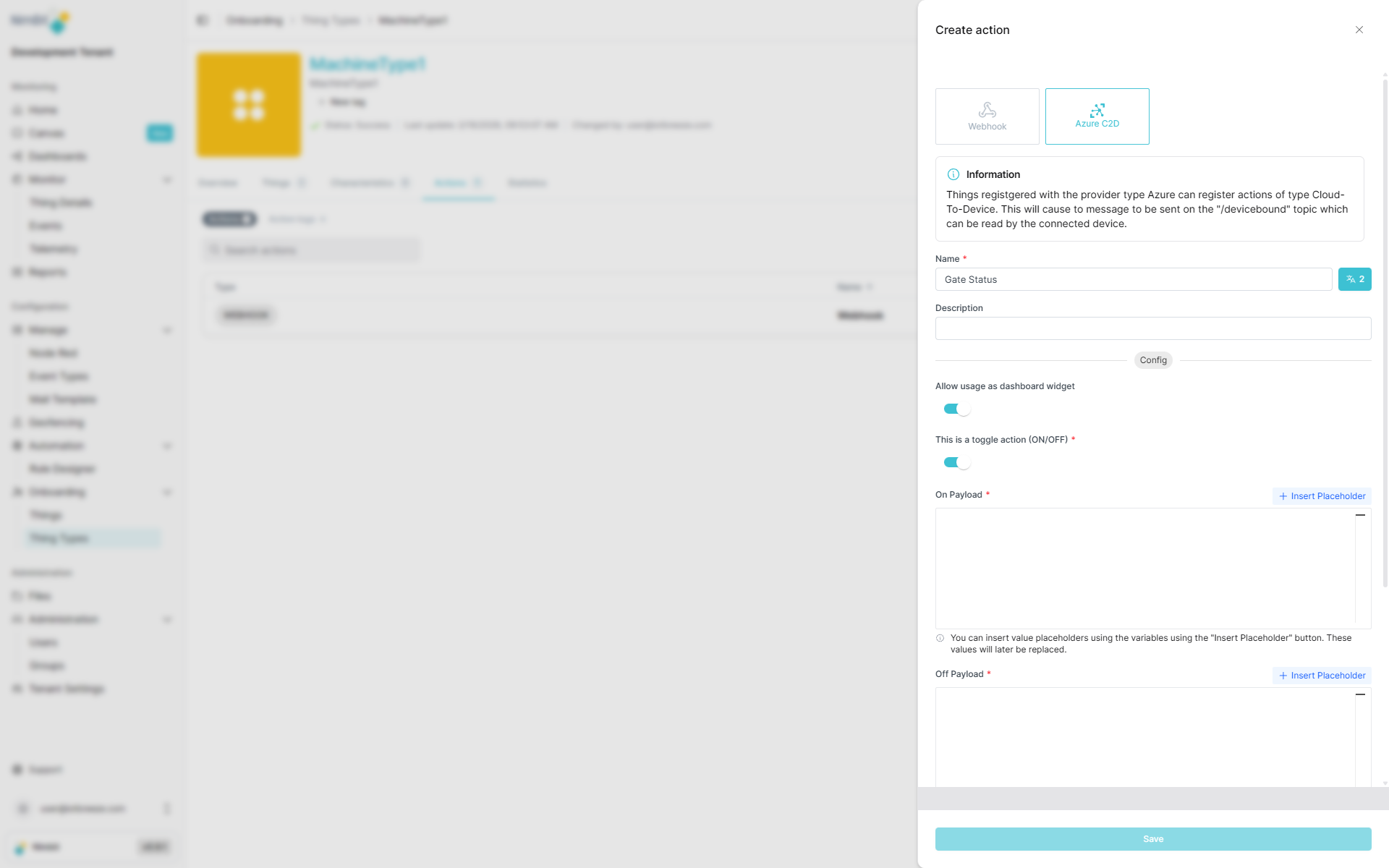
Toggle vs. Normal Actions
- Normal Action: Sends the same payload every time the action is triggered.
- Toggle Action: Uses a measure to determine device state and sends different payloads accordingly.
Configuring Toggle Measure
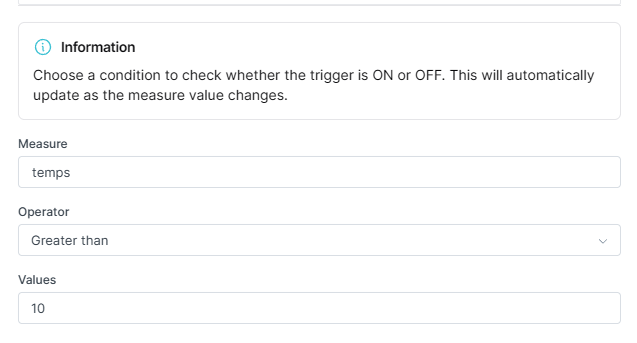
Select a measure that represents the device's state (e.g., motor_running, gate_open). The action will:
- Check the current value of the selected measure
- Send the appropriate payload based on the state
- Enable toggling between two states (e.g., ON/OFF, OPEN/CLOSE)
Dynamic Payload Placeholders
C2D payloads support dynamic placeholders that are automatically replaced at runtime with actual device data.
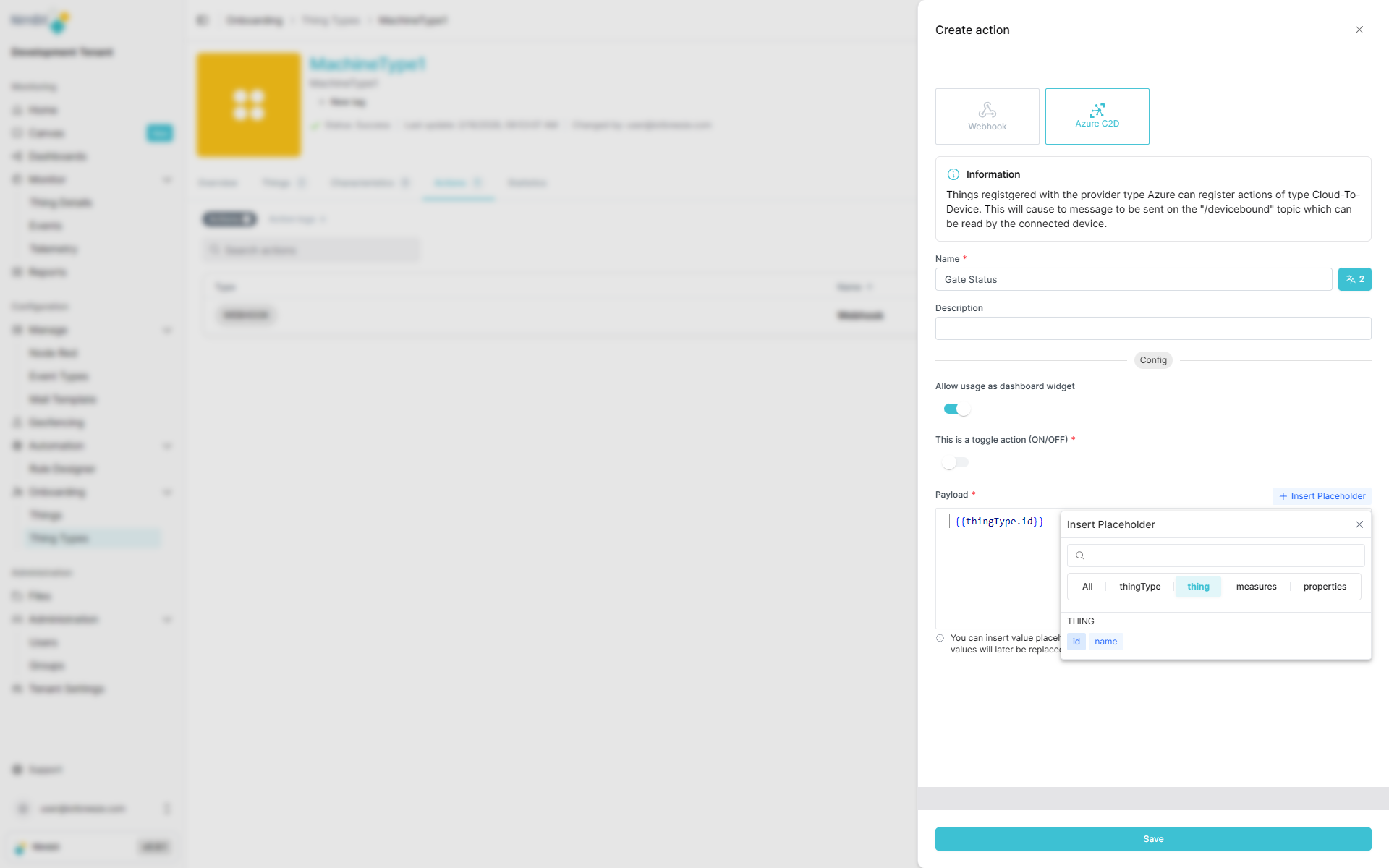
Available placeholders include:
- Measure values: Current sensor readings or device metrics
- Thing properties: Device-specific metadata
- ThingType properties: Type-level metadata
- System values: Timestamps, user information, etc.
Example Payload:
{
  "deviceId": "{{thing.id}}",
  "command": "setTemperature",
  "value": "{{measure.setpoint}}",
  "timestamp": "{{system.timestamp}}",
  "user": "{{system.user}}"
}
At runtime, placeholders are replaced with actual values:
{
  "deviceId": "pump_001",
  "command": "setTemperature",
  "value": 23.5,
  "timestamp": "2026-02-16T10:30:00Z",
  "user": "john.smith"
}
This enables highly dynamic and context-aware device control.
Where Actions Can Be used/created
Actions are versatile and can be configured in multiple places throughout IoTBreeze:
In ThingTypes
Define actions at the ThingType level to make them available to all instances (things) of that type. This is ideal for standardized operations that apply to all devices of the same kind.
In Things
Create thing-specific actions for individual devices when you need custom behavior for a particular instance.
In Event Types
Configure actions to be triggered automatically when specific events occur, enabling reactive automation.
In Rules
Use actions as part of complex business logic and automated workflows, allowing for sophisticated IoT orchestration.
In Dashboards
Configure action widgets in dashboards to provide users with interactive controls. This allows operators to trigger actions directly from the dashboard interface, making it easy to control devices, send commands, or execute workflows without navigating away from their monitoring view.