Text Widget
Overview
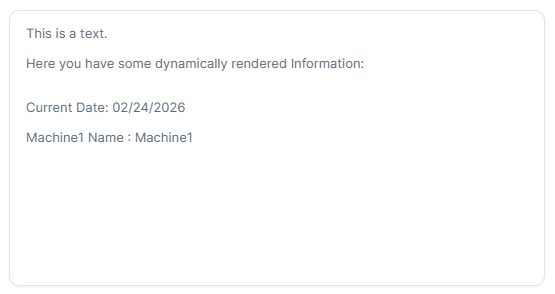
The Text widget displays rich text content directly in your dashboard using a WYSIWYG editor (Lexical). It supports formatted text including headings, lists, links and styling. Dynamic content from Things can be injected using Mustache template syntax.
Use Cases
- Instructions - Provide usage instructions
- Documentation - Add inline documentation
- Descriptions - Describe dashboard purpose or content
- Notes - Add important notes or reminders
- Dynamic Content - Display Thing or ThingType data using Mustache templates
Key Features
- Rich text formatting (WYSIWYG editor)
- Dynamic content via Mustache templates
- Text styling options (bold, italic, headings, lists)
- Links and references
- Thing/ThingType context binding
Configuration
The Text widget is a standalone widget that doesn't require measures or properties. It displays static or dynamic text content.
Basic Settings
| Field | Required | Description |
|---|---|---|
| Content | ✅ Yes | Rich text content |
Display Options
| Field | Required | Description |
|---|---|---|
| Transparent | ❌ No | Remove widget background |
| Border color | ❌ No | Custom border color |
| Background Color | ❌ No | Custom background color |
Best Practices
- Clear Writing - Use concise, clear language
- Formatting - Apply formatting for readability
- Link Usage - Link to relevant documentation
- Content Length - Keep text appropriately sized
What's Next?
- Container Widget - For organizing content