Map Widget
Overview
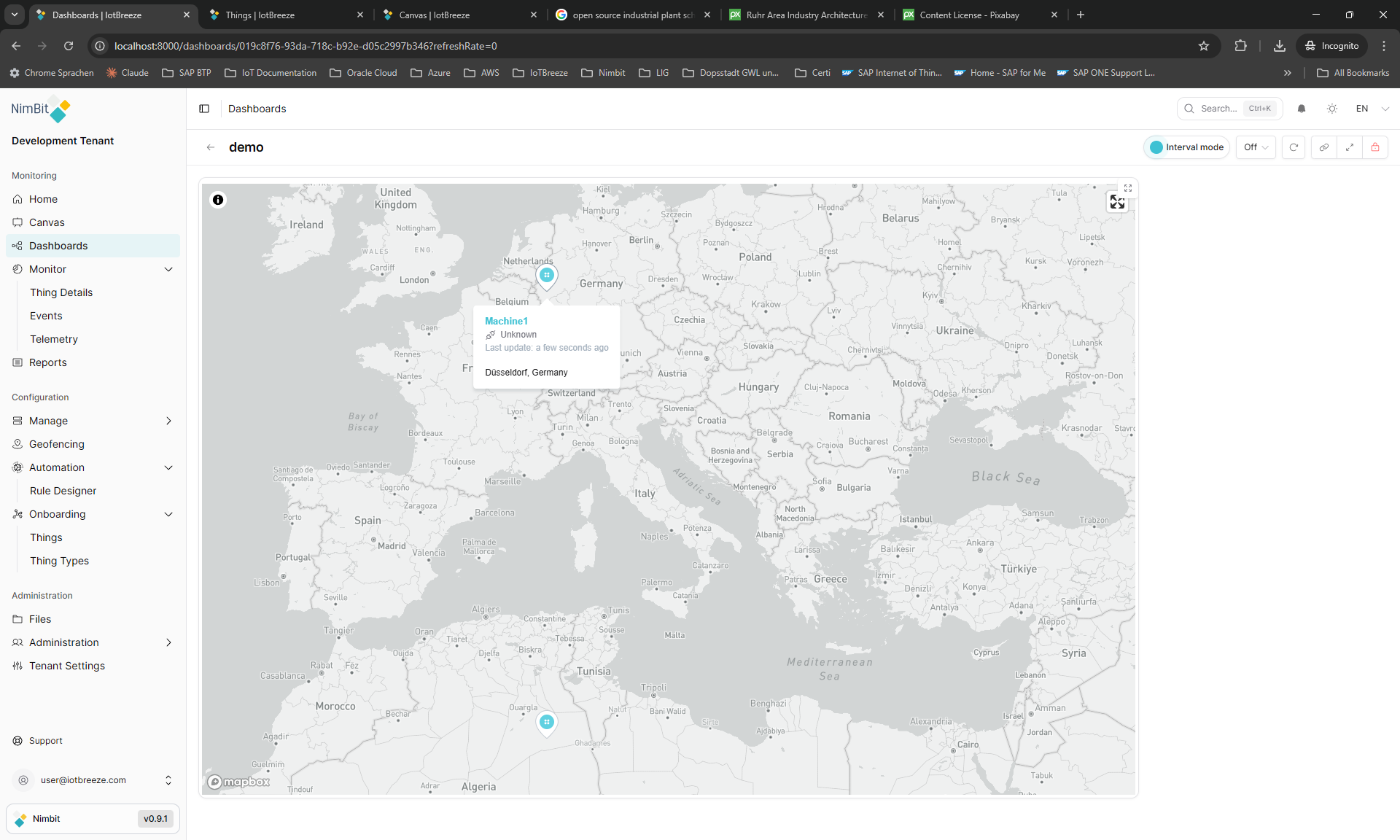
The Map widget displays geographic locations of Things on an interactive map with markers, info windows and real-time position updates. Use it for asset tracking, location monitoring and geographic visualization.
Use Cases
- Asset Tracking - Track vehicle or equipment locations
- Geographic Distribution - View device distribution on map
- Location Monitoring - Monitor fixed asset locations
- Route Visualization - Display movement paths
- Territory Management - Visualize coverage areas
Key Features
- Interactive map interface
- Multiple map providers (OpenStreetMap, Google Maps, etc.)
- Custom markers and icons
- Info popups on markers
- Real-time position updates
- Clustering for multiple markers
Configuration
The Map widget is a standalone widget that displays Thing locations on an interactive map. It requires no specific configuration beyond styling options.
Basic Settings
| Field | Required | Description |
|---|---|---|
| None | N/A | No basic configuration required |
Display Options
| Field | Type | Description |
|---|---|---|
| Border color | String | Custom border color for the widget |
The Map widget automatically displays all Things from the dashboard that have location data. It uses the dashboard's global Thing selection.
Best Practices
- Location Data - Ensure Things have proper location attributes configured
- Dashboard Selection - Select appropriate Things at the dashboard level
- Performance - Be mindful of the number of Things displayed on the map
- Fullscreen Mode - Use fullscreen view for detailed map exploration
- Border Styling - Use border color to distinguish the map widget visually
Features
Interactive Map
The widget displays an interactive map with the following capabilities:
- Thing Markers - Each Thing with location data appears as a marker
- Marker Popups - Click markers to view Thing information
- Pan and Zoom - Navigate the map freely
- Fullscreen View - Available when dashboard is locked
- Responsive - Adapts to widget size
Location Data
The Map widget automatically displays Things that have location attributes configured.
What's Next?
- Thing List Map Widget - For map with Thing list